

This plug-in provides a graphical
interface via GIMP to the RemBG tool,
an open source AI tool removing background from images
with following features:
- Remove background of a complete image inserted in GIMP
as a new image.
- Remove background of the selected part of an image
inserted in GIMP as a new image.
- Create a mask with removed background of a complete
image inserted in GIMP as an additional full image size
layer to the existing image.
Plugin Versions
Gimp Version |
OS |
Type |
Plugin Link |
Comment |
2.x |
Windows |
Python-Fu |
Single Python script |
|
2.x |
Linux |
C |
Sourcecode to compile |
|
3.x |
Windows & Linux |
Python |
Tarball containing the Python plugin and the I18N Files. |
1) Installation
a)
General
Python Installation
Install
the RemBG tool
by following commands:
Minimum (fulfills the needs of the plugin):
python -m pip install rembg[cli] onnxruntime
python -m pipx install rembg[cli] onnxruntime
For CPU usage:
python -m pip install rembg[cpu,cli] onnxruntime
python -m pipx install rembg[cpu,cli] onnxruntime
For GPU GPU usage:
python -m pip install rembg[gpu,cli] onnxruntime-gpu
python -m pipx install rembg[gpu,cli] onnxruntime-gpu
The rembg programm normally can be found at following path:
Linux: $HOME/.local/bin/rembg
Windows: %USERPROFILE%\AppData\Local\Packages\PythonSoftwareFoundation.Python.3.< installation version>\LocalCache\local-packages\Python3< installation version>\Scripts\rembg.exe
It is meaningful to add the path to the PATH evironment variable.
Installiere die benötigten AI Modelle: <path to rembg>/rembg -d
b) GIMP 3.X Python plugin installation
Unpack the tarball to the GIMP 3.X plug-ins
directory:
Linux: tar xfvz gimp3-python-rembg-1.0.tgz
~/.config/GIMP/3.0/plug-ins/
Windows: Unpack the tarball with a tool of your choice to %USERPROFILE%\AppData\Roaming\GIMP\3.0\plug-ins\
c) Gimp 2.X Windows - Python Plugin Installation
Copy the Python file gimp-python-fu-rembg.py to the GIMP 2.X plug-ins directory:
Linux: cp gimp-python-fu-rembg.py ~/.config/GIMP/2.0/plug-ins/
Windows: copy to %USERPROFILE%\AppData\Roaming\GIMP\2.0\plug-ins\
d) Gimp 2.X Linux - C Plugin
Installation
Setup development environment for GIMP development (see
for details: https://developer.gimp.org/core/setup/build/linux/).
Ubuntu Development Environment
installation command:
select sources in:
sudo software-properties-qt
sudo apt install
clang build-essential libgimp2.0-dev mingw-w64-i686-dev
mingw-w64 python3-pip pipx python3-onxx
sudo apt build-dep
gimp
The rembg binary is normally installed in $HOME/.local/bin/rembg
In case you use any other location for the binary you need
to adapt the file src/main.c, line 57 with the correct
location.
In case you want to use any other location for temporary
files you need to adapt the file src/main.c, line 58 &
59 with the correct tmp path.
Continue with basic installation (see INSTALL file in
sources).
Quick steps:
a) change into base
directory of the plugin.
b) autoconf
c) ./configure
d) make
e) sudo make install
After installation the plug-in can be found in the Image menu of GIMP by entry "Remove Background ..." and is enabled when an image is opened.
2) Plugin Help
RemBG Main Dialog Window
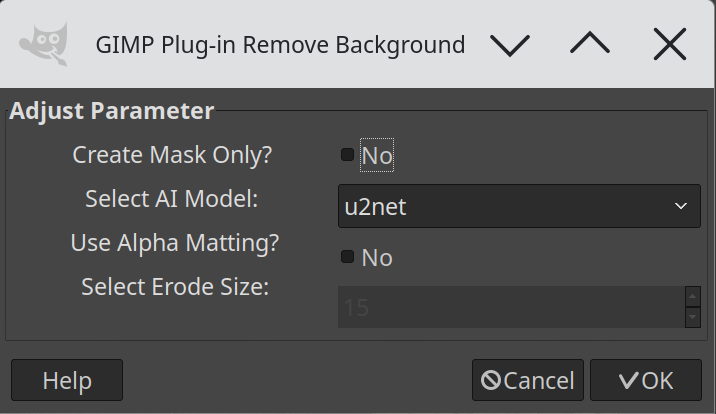
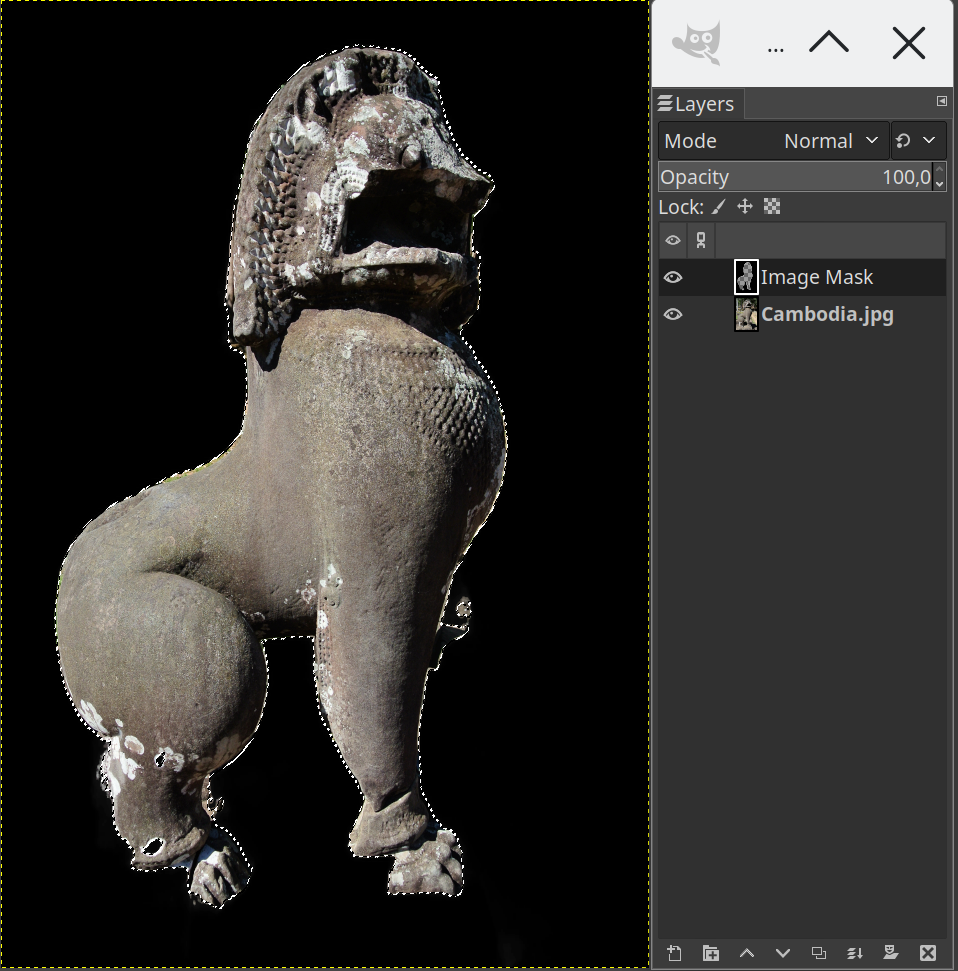
The parameter "Create Mask Only?" with options "Yes/No" defines if a mask is created only or a an image with removed background.
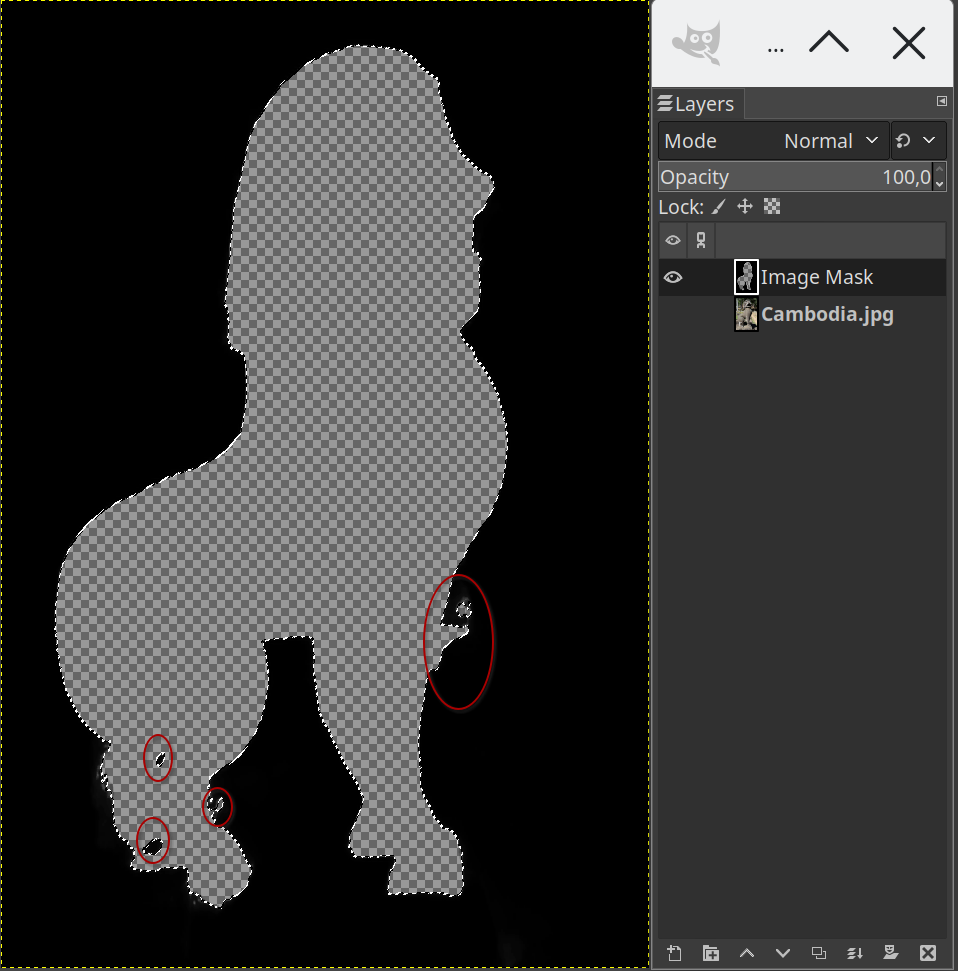
Generating a mask is useful when your want to fine-tune the mask to remove errors e.g., see red circles in second screenshot below.
Results of "Create Mask Only?"
Results of creating a new image
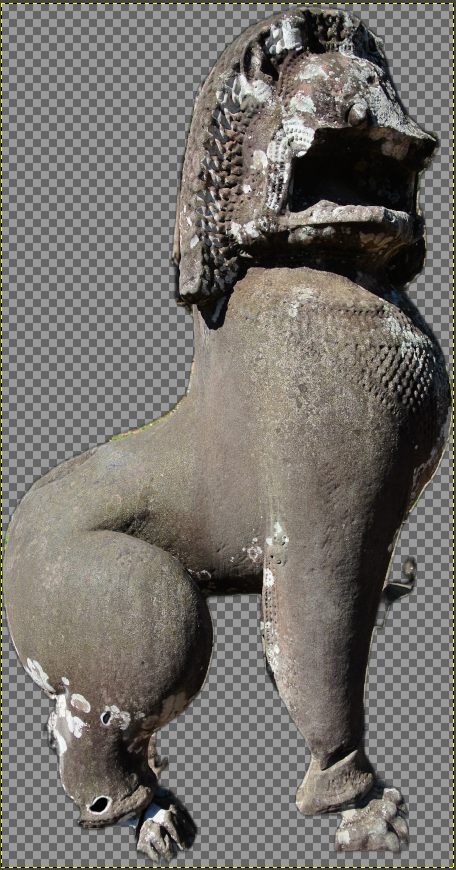
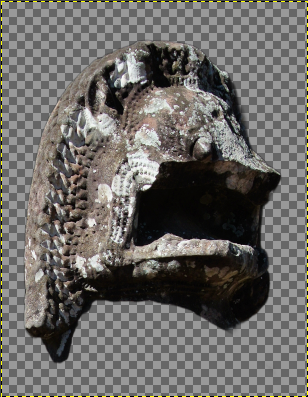
First screenshot is the result of removing the background of a full image and second one is the removal of the background of a selection only.
Select AI Model
Currently following 4 AI models can be selected:
1) u2net -> A pre-trained model for general use cases.
2) isnet-general-use -> A new pre-trained model for general use cases.
3) u2net_human_seg -> A pre-trained model for human segmentation.
4) u2net_cloth_seg -> A pre-trained model for Cloths Parsing from human portrait. Here clothes are parsed into 3 category: Upper body, Lower body and Full body.
Each time an AI model is selected for the first time the RemBG program will download the related model data from internet.
So, internet connection is required in this case and the execution time of the RemBG program will take a bit longer.
Select Alpha Matting
When Alpha Matting is selected the Erode Size can be set between 0 and 100, default value is 15.
More details and video tutorials can be found in RemBG Github.
For comparison here the original image used to create the examples.
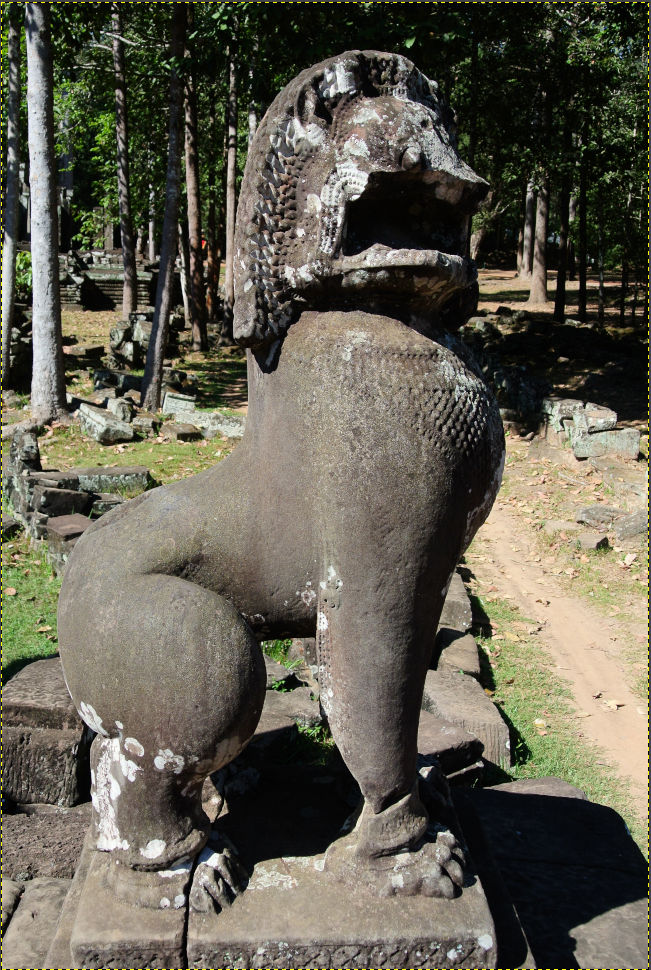
Have fun with the plug-in.
/Rob <flyingrobi@yahoo.de>